How to Free Space Used by Xcode, Simulators and Docker on Mac
Developer tools quietly fill a Mac: what to clear, what to keep, and what comes back
Short answer: the biggest developer space hogs on a Mac are Xcode's DerivedData, simulator runtimes and old simulators, Device Support files from connected iPhones, build archives, and Docker's unused images and build cache. Most of them are rebuilt or downloaded again when needed, so clearing them is safe. DiskMop for Mac cleans them from Free up space and macOS space and says what happens for each item.
This guide explains where each one lives, which can be cleared without a second thought, which cannot be recreated, and how to do it by hand or with DiskMop.
Key Takeaways
- Xcode DerivedData and simulator caches are rebuilt by Xcode; the next build is slower once. Device Support files are copied again from the device when you connect it.
- Xcode archives are different: they hold the builds you released and are needed to symbolicate crash reports. DiskMop leaves them unticked and marks removal as impossible to undo.
- Simulator system images can be downloaded again in Xcode > Settings > Components, and old simulators whose image is gone cannot start anyway; DiskMop removes those with the system's own simctl tool.
- DiskMop's Docker item runs docker system prune: unused images, stopped containers, networks and build cache are removed, and volumes, where your data lives, are never touched.
Reclaim Xcode and Docker space on your Mac with DiskMop
DiskMop automatically scans, identifies, and safely cleans hidden caches, app leftovers, and system junk.
Developer storage on a Mac: what it is and what happens if you clear it
| Item | Where it lives | If you clear it | In DiskMop |
|---|---|---|---|
| Xcode DerivedData | ~/Library/Developer/Xcode/DerivedData | Xcode rebuilds it; one slower build | Free up space, ticked by default |
| Simulator caches, runtimes and old simulators | ~/Library/Developer/CoreSimulator and system images | Rebuilt or downloaded again; old simulators cannot start anyway | Free up space and macOS space |
| Device Support files | ~/Library/Developer/Xcode/iOS DeviceSupport | Copied again from the device on the next connection | Free up space |
| Xcode archives | ~/Library/Developer/Xcode/Archives | Cannot be recreated; needed for crash symbols | Free up space, unticked, cannot be undone |
| Docker images and build cache | Docker Desktop data | Pulled or rebuilt when needed; volumes stay | macOS space |
Why Developer Tools Take So Much Space
Xcode keeps intermediate build files so the next build is quick, copies debugging symbols from every device you connect, and installs a full system image for each simulator version. Docker keeps every image it ever pulled and a build cache that grows with each build. None of it is wrong; it is optimised for speed and never cleans up by itself.
On a Mac with a 256 GB or 512 GB drive this is often the difference between a comfortable disk and a full one. If that sounds familiar, what fills a Mac startup disk covers the non-developer side.
Xcode: DerivedData, Device Support and Archives
DerivedData holds intermediate files of your builds in ~/Library/Developer/Xcode/DerivedData. Deleting it is a standard fix for odd build errors and costs one slower build. Device Support, in ~/Library/Developer/Xcode/iOS DeviceSupport and the watchOS folder, holds symbols copied from iPhones and iPads you connected; Xcode copies them again the next time, which takes a few minutes.
Archives, in ~/Library/Developer/Xcode/Archives, are the builds you made for release. You need them to symbolicate crash reports of released versions, and you cannot recreate the exact build, so DiskMop leaves them unticked and warns that removal cannot be undone. Clear only archives of versions you will never need to debug.
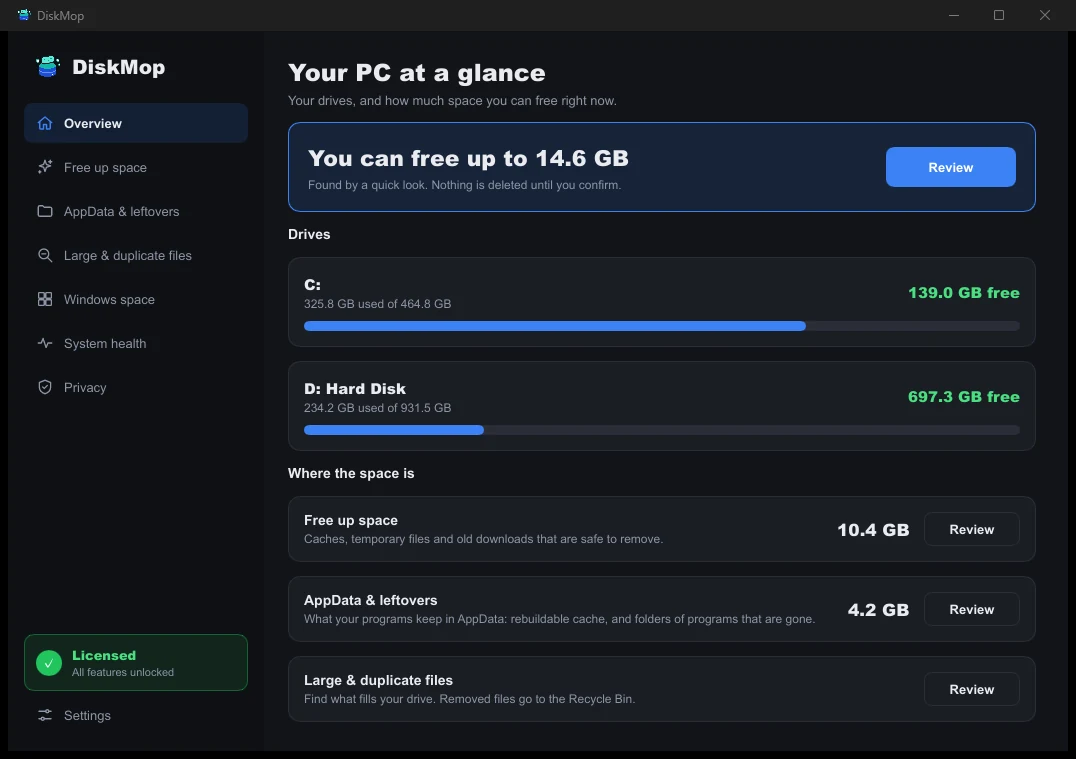
How DiskMop Solves This: Overview
See all your disk usage on a single screen. Instantly identify areas that can be cleaned.
Simulators and Runtimes
Each simulator version has a system image, often several gigabytes, which Xcode downloads and manages under Xcode > Settings > Components. You can download it again whenever you need it, so removing images for versions you no longer test is safe. Simulators whose system image is already gone cannot start, and the system's own tool, xcrun simctl delete unavailable, removes them.
DiskMop does these through the same simctl tool, not by deleting system folders, and lists them under macOS space with a description of what happens. Simulator caches, which are temporary data the simulators rebuild on their next start, are on the Free up space page.
Docker: Images, Build Cache and Volumes
docker system df shows what Docker uses; docker system prune removes stopped containers, unused networks and dangling images, and with the -a option all unused images. DiskMop's Docker item removes unused images, stopped containers, networks and build cache and never touches volumes, which is where databases and other data live. Docker downloads or rebuilds what it needs next time, so expect slower pulls once.
This runs through Docker's own command, so Docker must be installed and not busy. Scanning is free; cleaning many items at once is part of DiskMop Pro, a one-time purchase, and the free version lets you try a few single removals. The developer items work in the version you download from diskmop.com. Package caches such as npm, Yarn, pip, Homebrew, CocoaPods, Gradle and Cargo are listed on Free up space and are unticked by default; your tools download them again. For other big files, see how to find large files on Mac.
Frequently Asked Questions
Is it safe to delete Xcode DerivedData?
Yes. Xcode rebuilds it. The next build is slower once, and deleting DerivedData is a common fix for odd build errors.
Can I delete Xcode archives?
Only if you will never need to debug those releases. Archives are needed to symbolicate crash reports and cannot be recreated, so DiskMop leaves them unticked and marks the removal as impossible to undo.
Does DiskMop delete my Docker volumes?
No. It removes unused images, stopped containers, networks and build cache with docker system prune and never touches volumes, where your data is stored.
How do I remove old iOS simulators?
Delete simulator system images you no longer test in Xcode > Settings > Components, and run xcrun simctl delete unavailable for simulators whose image is gone. DiskMop lists both under macOS space.
Verdict
Developer tools quietly turn a 256 GB or 512 GB Mac into a full one. Most of what they keep is rebuilt or downloaded again, and the one thing that is not, Xcode archives, deserves a deliberate decision.
DiskMop for Mac cleans DerivedData, simulators, Device Support and Docker's unused data, explains each item first and leaves your volumes and archives alone unless you tick them. Scanning is free, so you can see the size before you decide.
Reclaim Xcode and Docker space on your Mac with DiskMop
DiskMop automatically scans, identifies, and safely cleans hidden caches, app leftovers, and system junk.